Ever since Google Analytics App+Web first launched, users have been asking when there will be a Data Studio template. Well, the wait is over! Google Data Studio now has a direct connector into your App+Web property, no need to go through BigQuery anymore to get your App+Web data into your favorite data visualization platform 🙂
It’s pretty simple to setup, so follow the below screenshots to get your App+Web data flowing into Data Studio today.
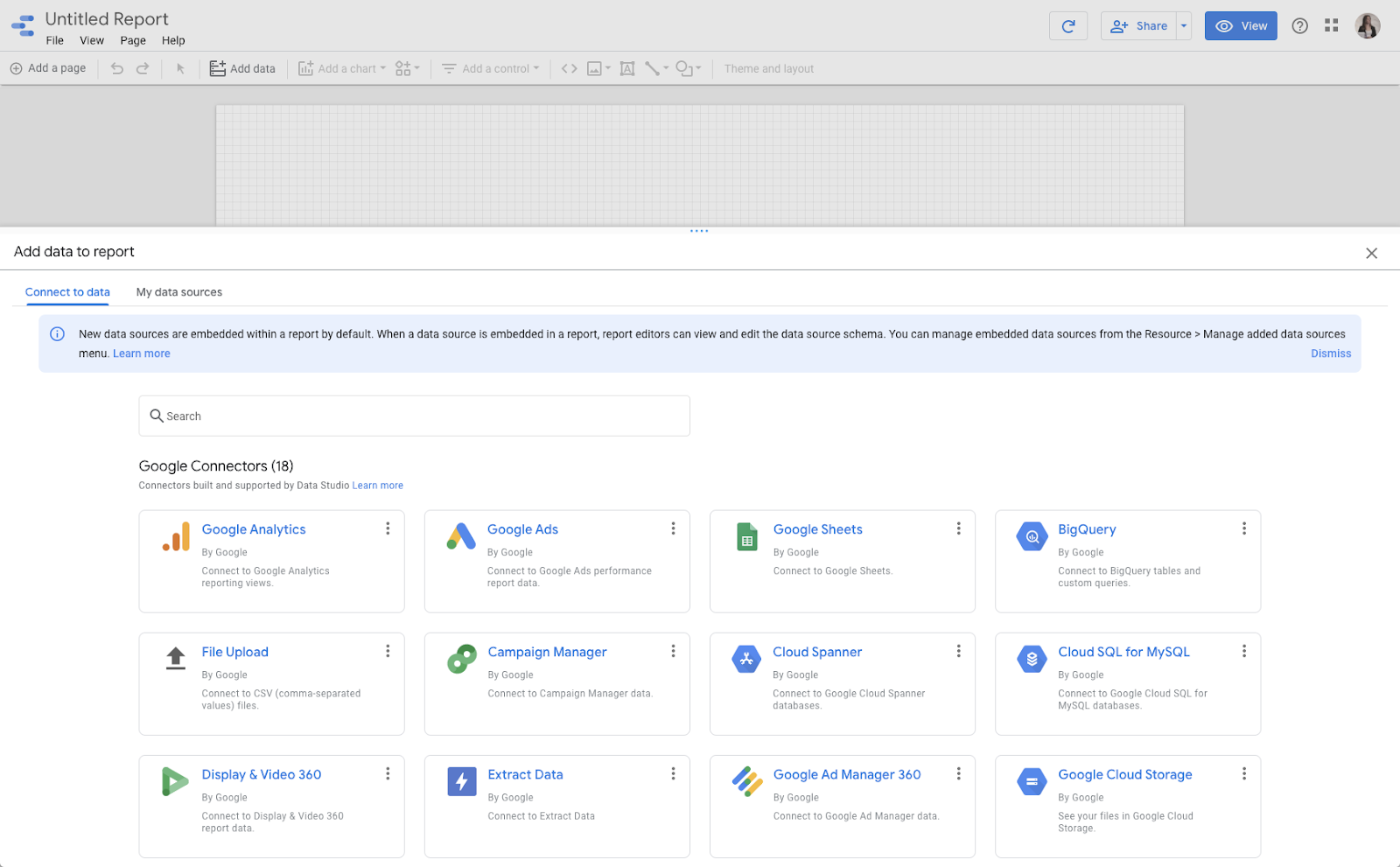
First step, connect a new data source to a report. Note that App+Web doesn’t have it’s own widget, it will just be another property under Google Analytics, so select the Google Analytics widget:
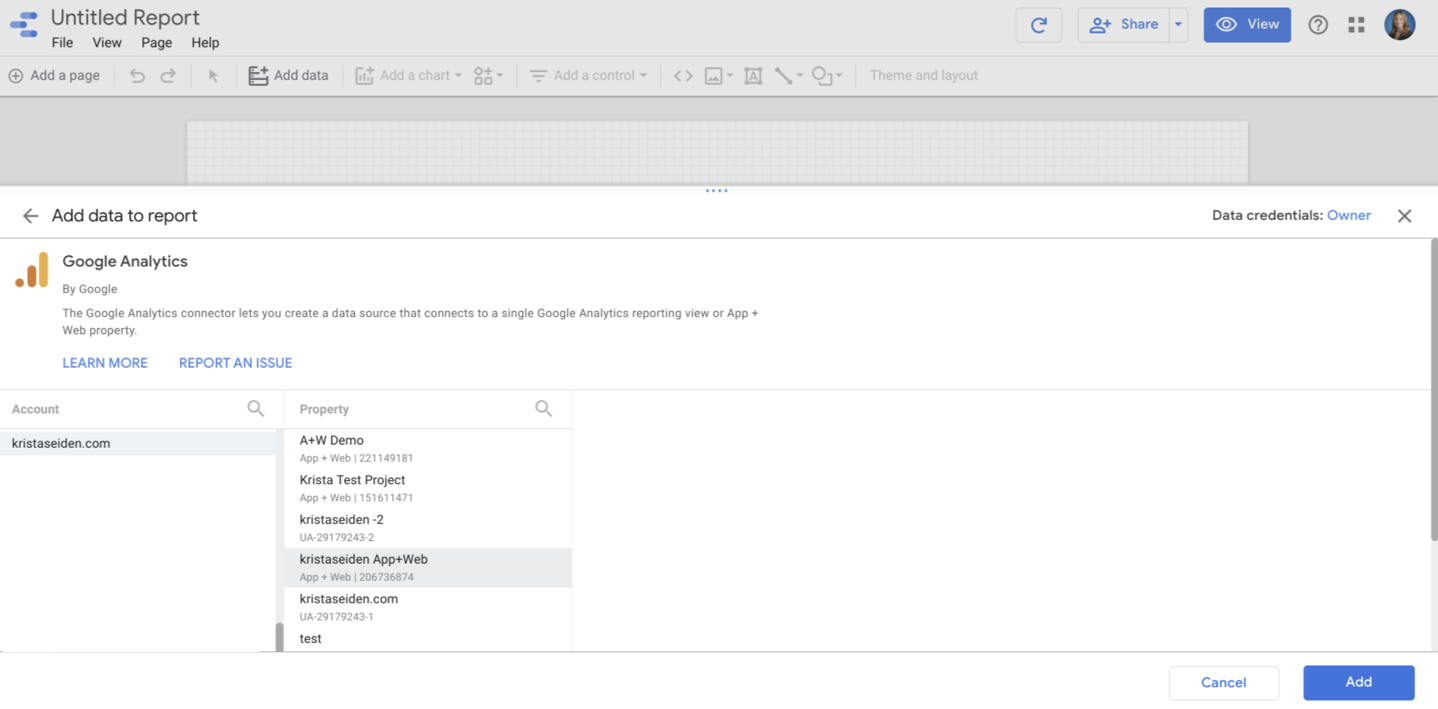
Next, you’ll choose the account where your App+Web property lives, and then click to connect the specific App+Web property from the list that you want to use:
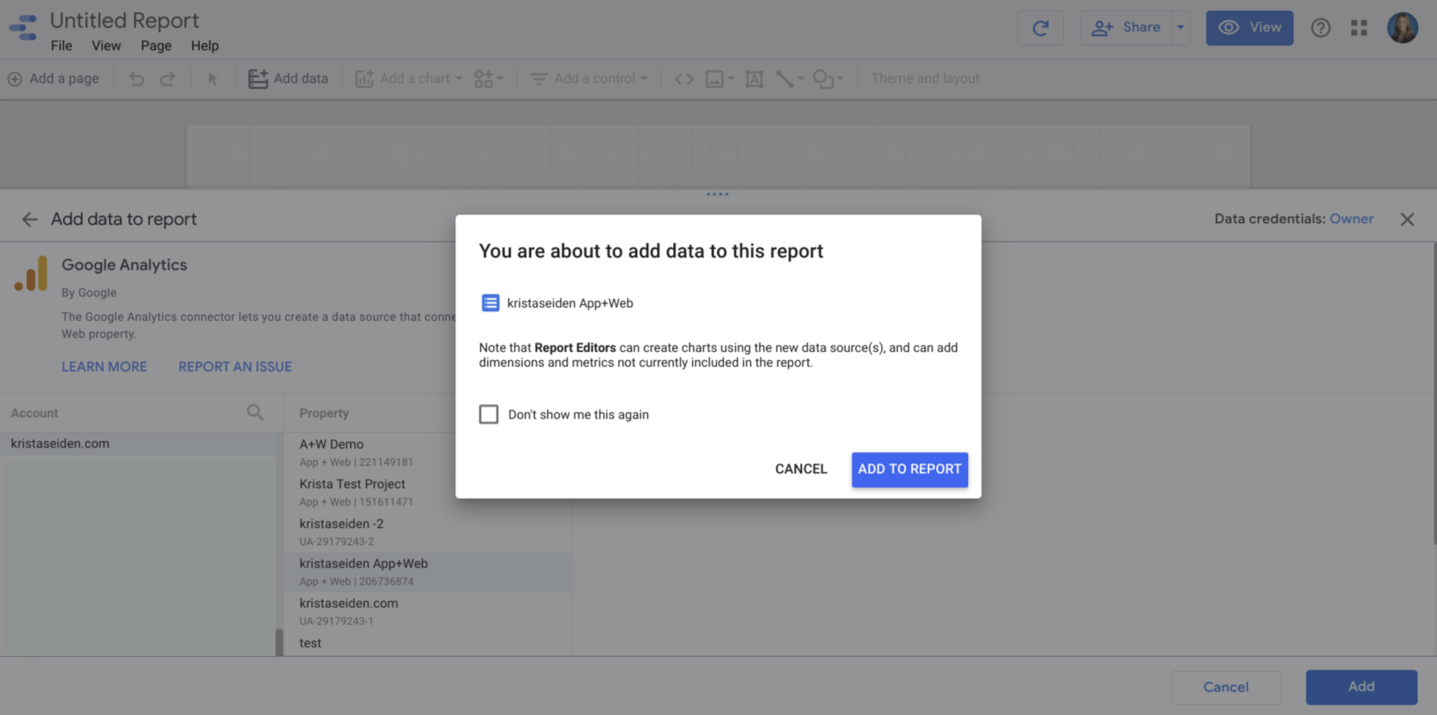
You’ll confirm you want to add that property as a data source to your report:
And that’s it! Now you can start building out your dashboards and reporting in Data Studio using your ApWeb data. Here are just a few screenshots of me building a simple dashboard as an example:
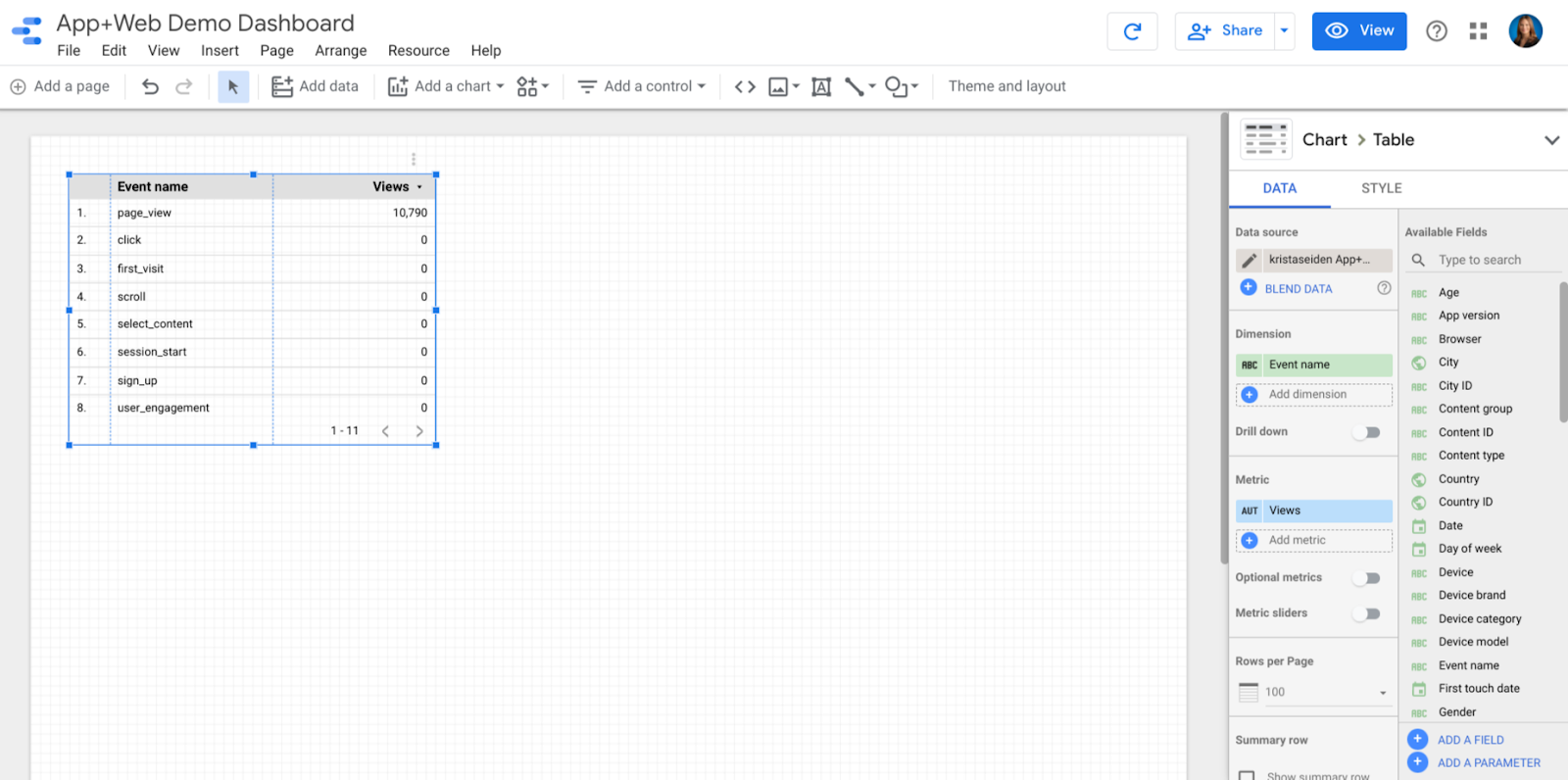
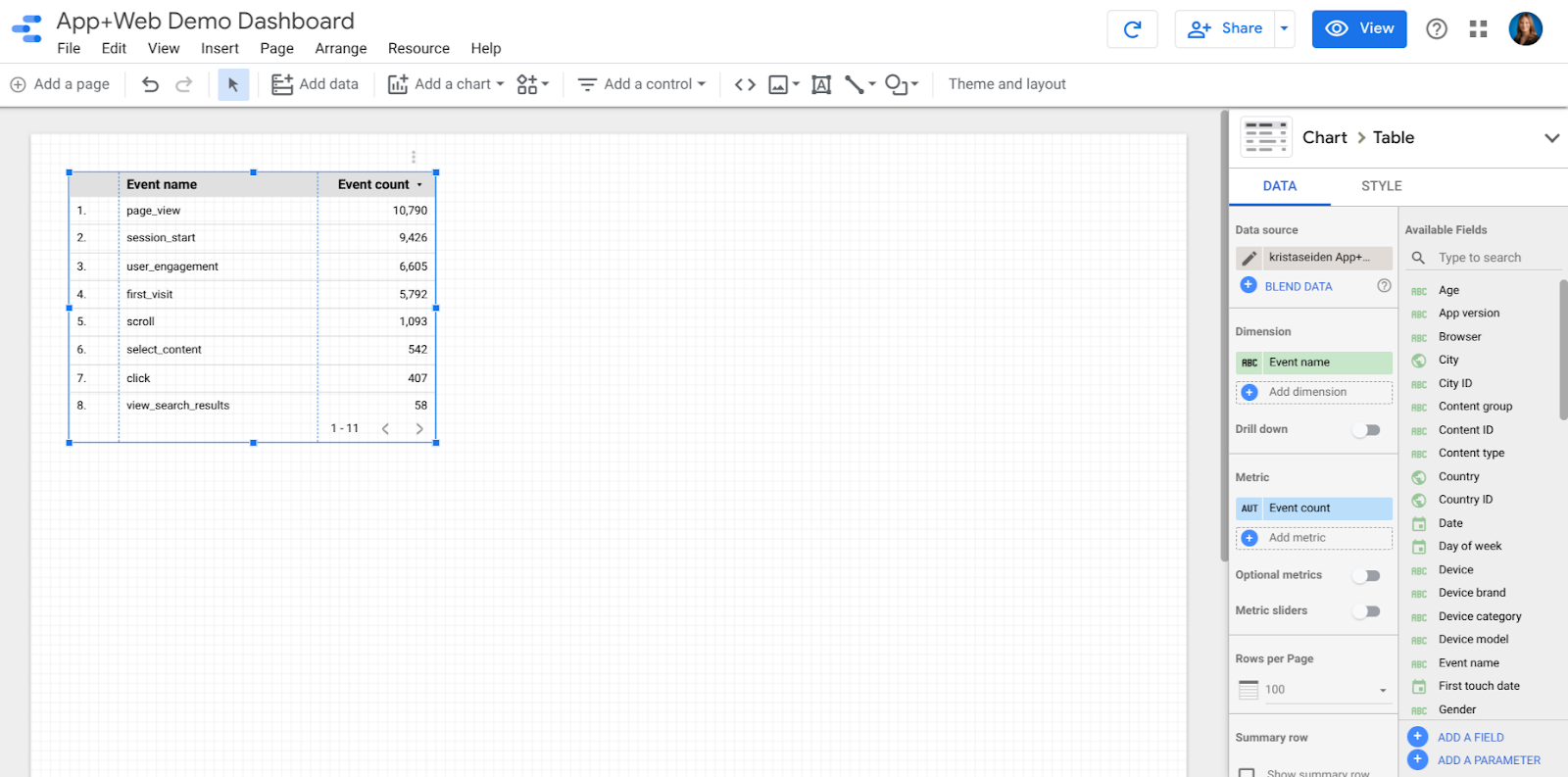
If you want to filter down to just a certain event, you can create a filter on the event name like so:

Previewing my new dashboard:

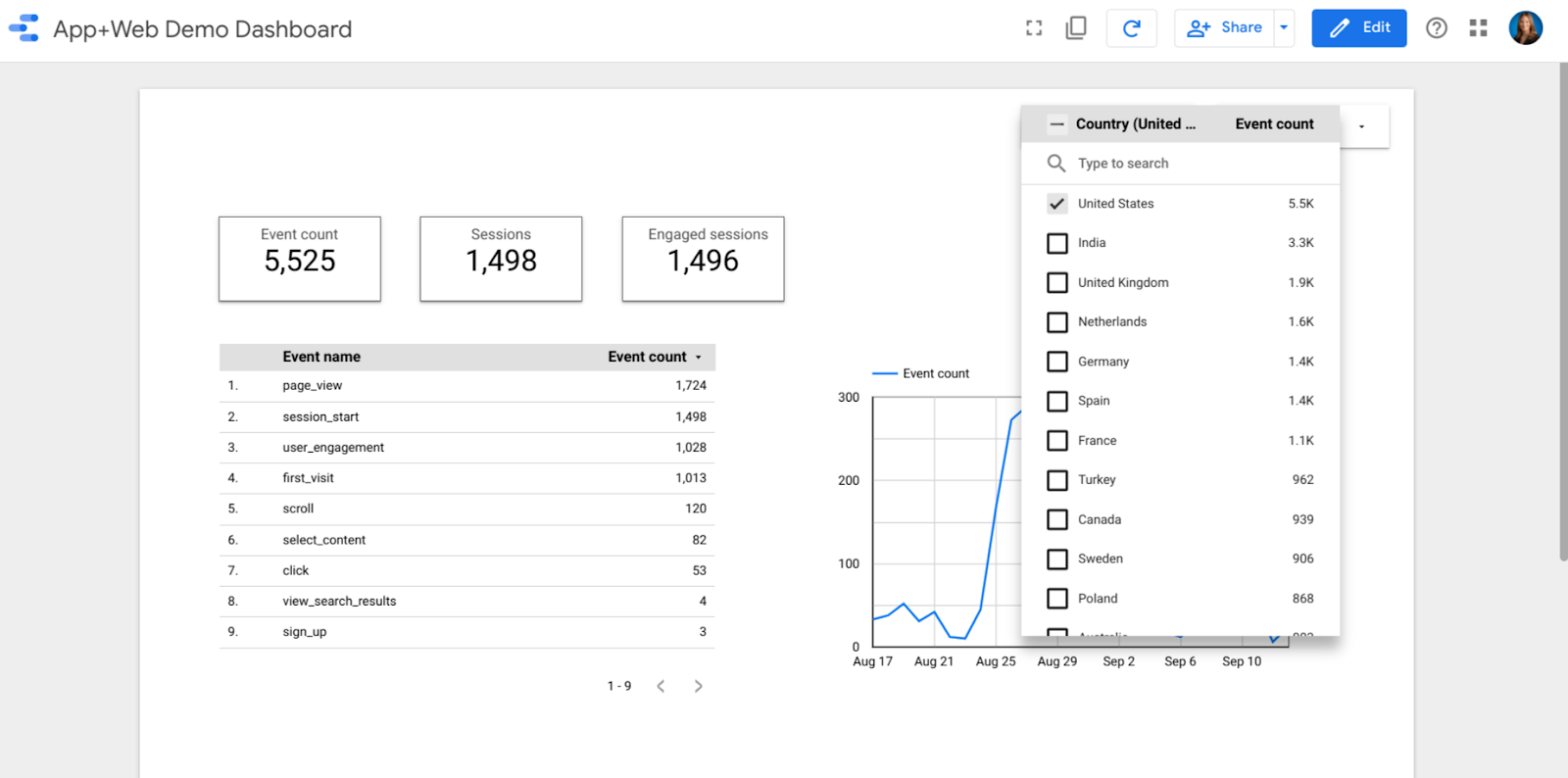
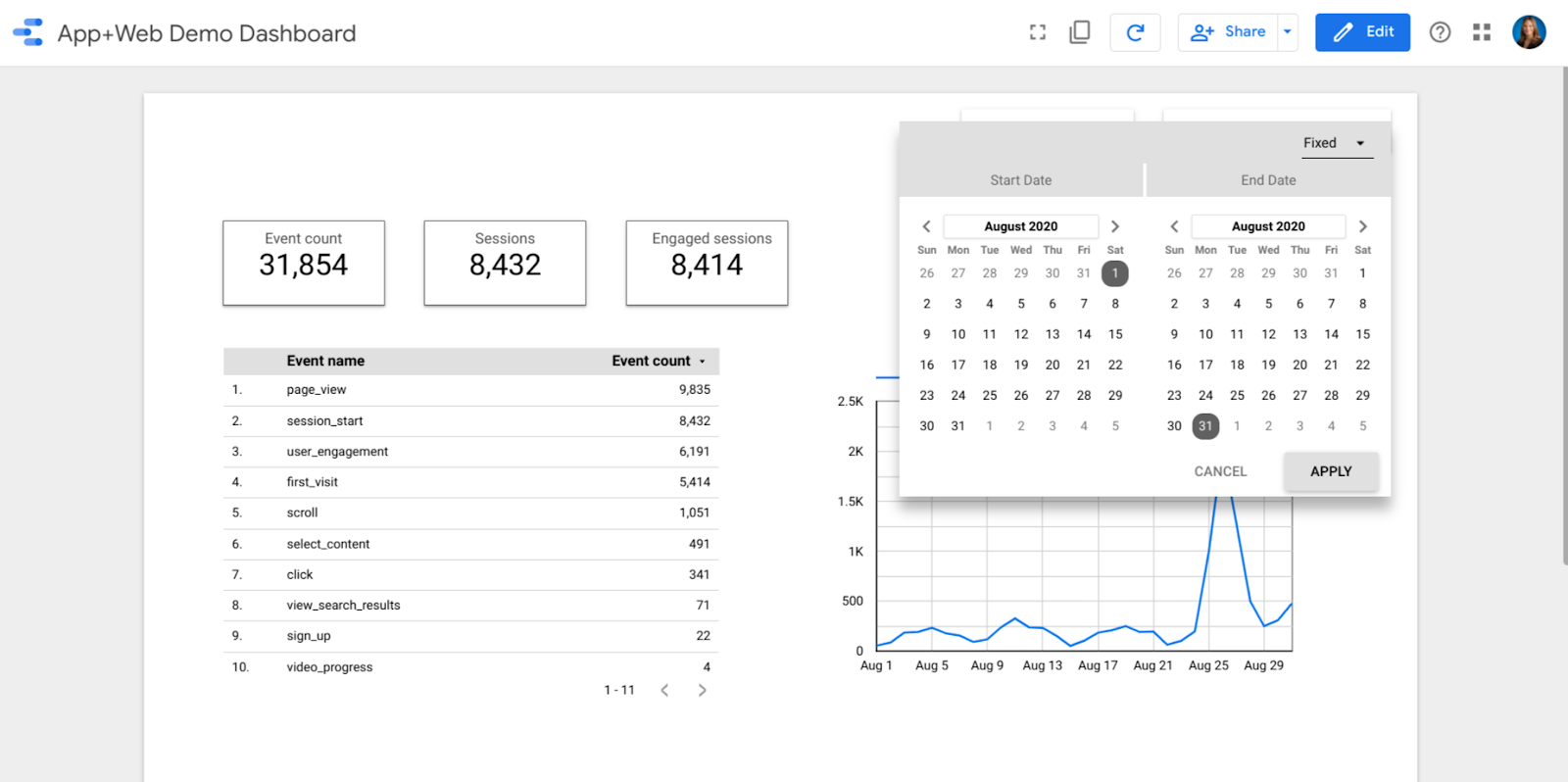
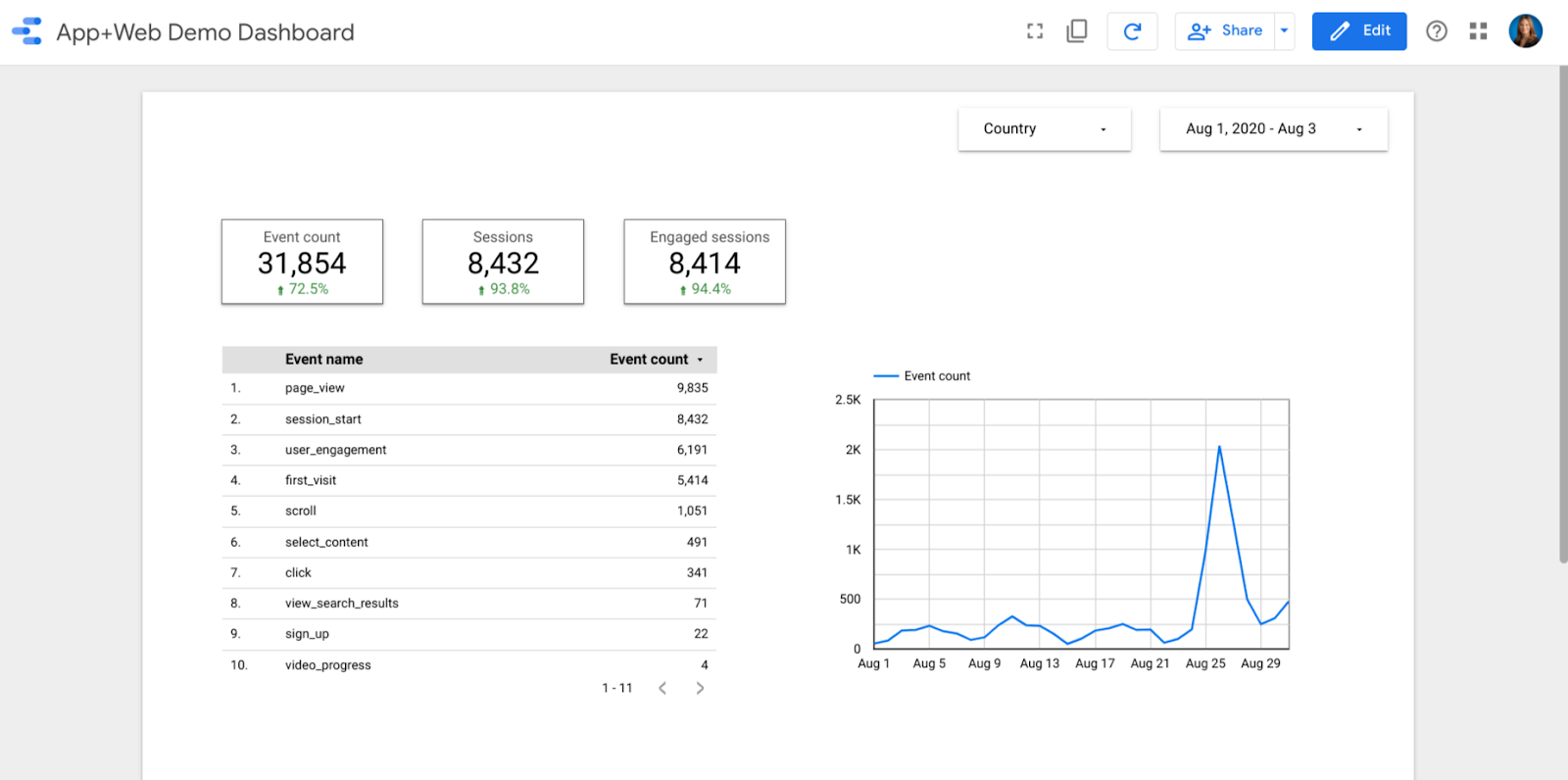
That’s it! Give it a try and share your dashboard design success with the new App+Web Data Studio connector.
This is great!
So do I understand correctly that we don’t get each event as a different metric (yet)?
“Event name” is a dimension, and you can filter on that dimension to find the specific event you want to narrow down to